PrestaShop lists abandoned carts but does not chase them. The free Customer reminder module still sends one follow-up if you wire up a cron job, though it has been archived since 2021. For a real sequence, use a maintained module, and pick one that ties each reminder to the order it produced so you know what the campaign earned.
Where PrestaShop keeps your abandoned carts
They are already in your Back Office, and most owners never open the screen. You will find every cart, ordered or not, under:
The list shows the customer, the total and, in the order column, whether the cart ever turned into a sale. The rows with no order are your abandoned carts. Open one and you see exactly what the shopper left behind, which is the information a reminder email needs.
What counts as an abandoned cart
A cart with no order attached. That sounds obvious until you look at a real list: there are carts worth nothing, carts from visitors who never identified themselves, and carts from customers who came back an hour later and bought anyway.
- Identified carts are the ones you can act on. The shopper logged in or left an email address, so you have somewhere to send the reminder.
- Anonymous carts are a metric, not an audience. They tell you how much interest you are losing, but there is nobody to email.
- Empty and near-zero carts are noise. Set a minimum cart value so your campaign ignores them.
- Recovered ones must leave the list. A customer who already paid should never receive a reminder for that cart.
For scale: the Baymard Institute puts the documented average cart abandonment rate at about 70%, aggregated from 50 separate studies. Whatever your store does, the carts sitting in that screen are worth more than the traffic you would buy to replace them.
Option 1: chase them by hand
Open the cart, look up the customer, write an email, and if you want to sweeten it, create a voucher under Catalog, Discounts. It costs nothing and it works: a personal note from a small store often outperforms a template.
It also stops working the week you get busy. Manual recovery scales to a handful of carts, not to the list that builds up over a month, and nothing records which emails brought money back.
Option 2: the official Customer reminder module
PrestaShop ships a free module called Customer reminder (ps_reminder) that emails customers who left a cart behind, optionally with a voucher. You configure it in the Back Office:
Two things to know before you rely on it. First, it only sends when something runs its cron file on a schedule, so an unconfigured cron means silence. Second, its repository was archived in February 2021 and is no longer actively maintained, which is why the forums keep filling with people asking where the follow-up module went. PrestaShop now sells a paid Abandoned Cart Recovery module through Addons as the supported path.
If you only ever want one reminder per cart and you are comfortable with cron jobs, this is a free start. It will not give you a sequence, escalating discounts, or any answer to the question "how much did this earn?"
Option 3: a measured sequence with the PrestaOne app
The PrestaOne module runs the whole sequence from your store: a first, second and final reminder, each sent at the time you choose, with your own text and the discount you set. Coupons are generated automatically using your own prefix, validity and minimum order. Quiet hours keep emails out of the middle of the night, and a minimum cart value keeps the noise out of the campaign.
Because the module sends from the store, the sequence keeps running while your phone is off. What the app adds is the part every other option is missing: each reminder is tracked to the order it produced, so recovered carts and recovered revenue are measured rather than estimated.
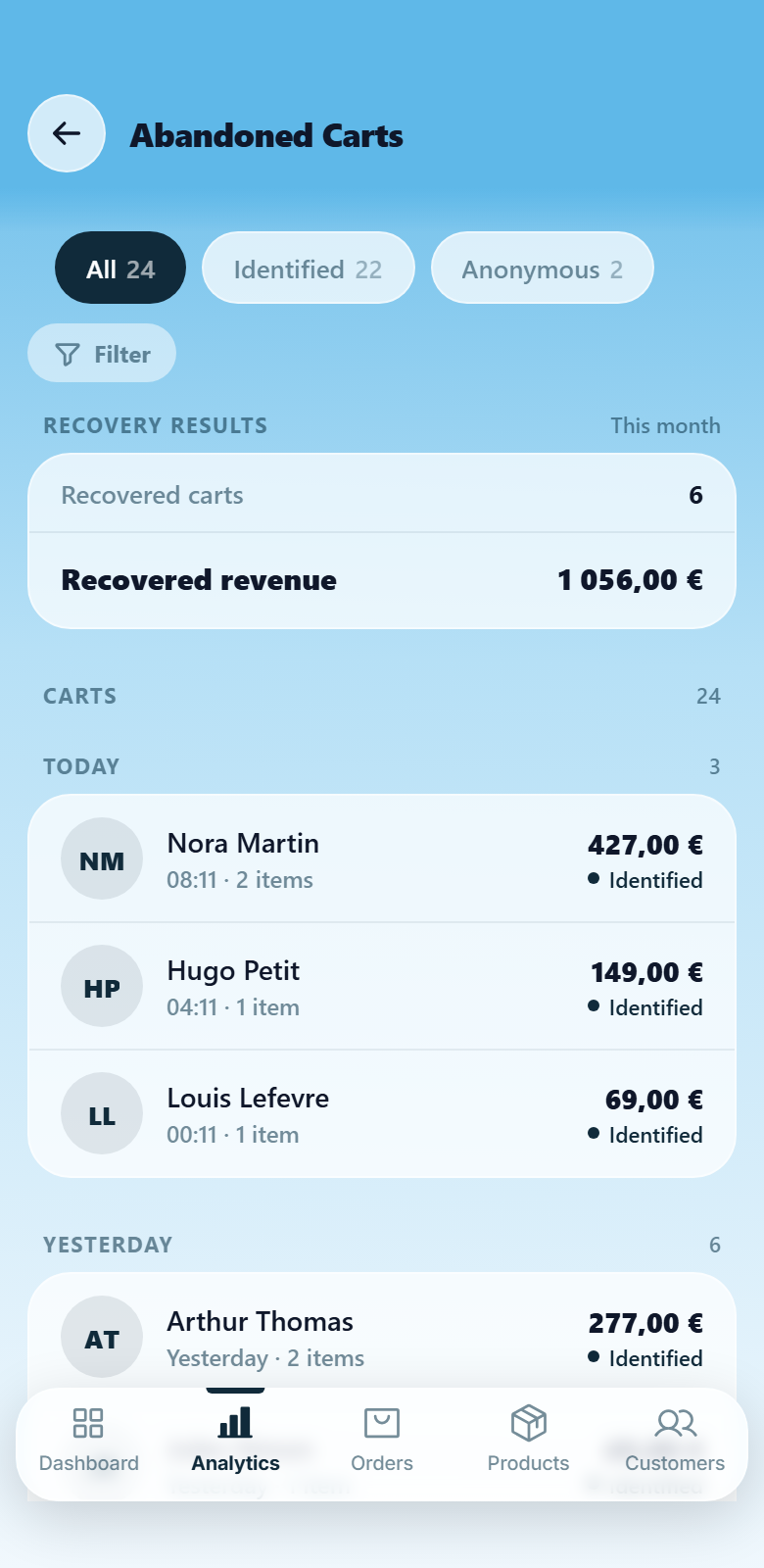
The honest trade-offs: you need an iOS or Android phone to set it up and read the results, and after the 14-day trial PrestaOne is a paid subscription. In return the same app also gives you order notifications, live chat, sales statistics and many other handy features to manage your store and business. See how cart recovery works in PrestaOne.
What actually makes a reminder work
The tool matters less than the sequence you put in it. Four rules travel well between stores:
- Send the first one while the visit is fresh. A few hours later the shopper still remembers the product and the reason they hesitated.
- Do not lead with a discount. The first email is a reminder. Save the incentive for the second and third, and let it grow.
- Give the discount an expiry. A coupon with no deadline is a coupon with no reason to act today.
- Stop the sequence the moment they buy. Nothing costs trust faster than a discount arriving for an order that has already shipped.
Which option should you pick?
| By hand | Customer reminder (official, free) | PrestaOne app | |
|---|---|---|---|
| Sends without you remembering | No | Yes, with a cron job | Yes |
| Several reminders per cart | Up to you | One follow-up | First, second and final |
| Discount you set per reminder | Manual vouchers | One fixed voucher | Yes, your own amount on each email |
| Tells you what it earned back | No | No | Recovered carts and revenue in the app |
| Still maintained | n/a | Archived since 2021 | Yes, PS 1.7, 8 and 9 |